Panel Overview
The humaniq panel is located on the right side of the 3D viewport window. Press the N key
on your keyboard and select the polygoniq tab to access it.
Can't see the panel
If you do not see the panel, or do not see any panels at all, check that the engon add-on is
enabled in Preferences --> Addons and that the asset pack is shown under the Asset Packs
section. Also, make sure you are in Object Mode. You can usually press Tab to switch
between modes.
Spawning assets through engon
All assets are spawned through the engon add-on. If you have multiple polygoniq add-ons enabled,
they will all be shown here. Check out Spawning Assets to
learn more.
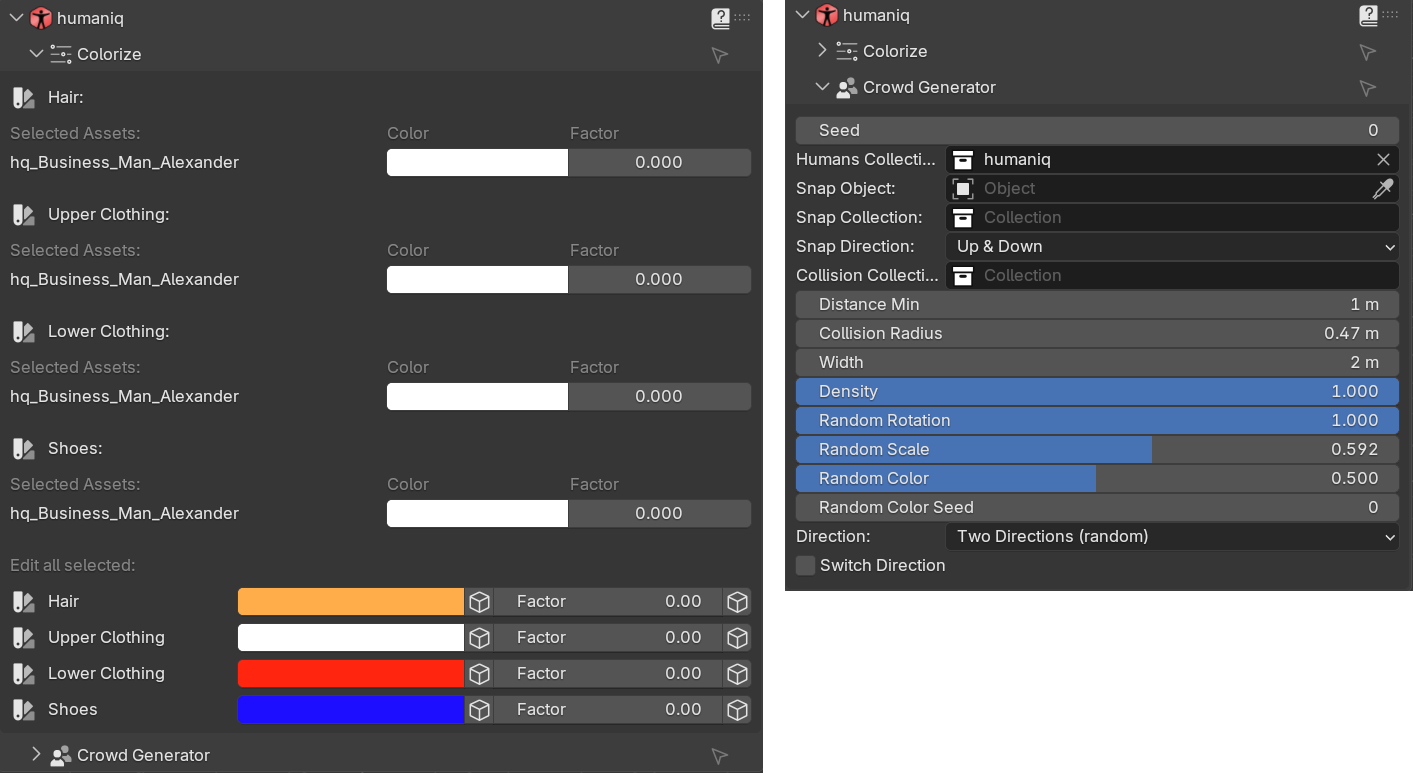
Quick Overview
In addition to all engon features, humaniq comes with color adjustment and crowd generator.
Colorize
Tweak the hair, upper & lower body and shoes of each asset to make it fit your scene. More information can be found in the Colorize chapter.
Crowd Generator
If you need to populate entire street quickly you can simply draw a curve, snap it to the ground select collisions and tweak settings like direction, density etc... More information can be found in the Curve Crowd chapter.