Output Path Format
renderset uses a special string format to generate paths. This lets you generate paths that fit
your production workflow from variables related to your computer, the blend file, the scene, the
context and more.
This string format is used by three features in renderset Preferences:
- Output Folder Path
- Output Filenames
- Copy Output File Post Render Action
General Philosophy
The syntax uses Python's
formatted string literals.
Anything enclosed within curly braces is treated as a variable. renderset feeds a controlled list of
variables and python replaces their tokens with their values.
Let us look at a few examples:
use hostname and context name to form a path
C:/SomeFolder/{hostname}/{context_name}
results in:
C:/SomeFolder/MY_COMPUTER_NAME/ContextName/
put renders into folders by month
/home/linux_user/renders/{month}/{blend_filename}
results in:
/home/linux_user/renders/11/BlendFilename.blend/
Variables
The following variables are available:
| Variable | Description |
|---|---|
context_name |
Name of the rendered context |
context_render_type |
Type of render (still or animation) |
blend_parent_folder |
Parent folder of current Blend file location |
blend_filename |
Name of current Blend file |
blend_full_path |
Full path to Blend file |
hostname |
Hostname of the machine that is rendering |
date_time |
Date and time in format: YYYY-MM-DDTHH-MM-SS |
frame_current |
Current frame of the animation |
frame_start |
Start frame of the animation |
frame_end |
End frame of the animation |
frame_step |
Step between frames of the animation |
camera |
Camera assigned to the context |
world |
World assigned to the context |
year |
Year component of the render timestamp |
month |
Month component of the render timestamp |
day |
Day component of the render timestamp |
hour |
Hour component of the render timestamp |
minute |
Minute component of the render timestamp |
second |
Second component of the render timestamp |
resolution_x |
Horizontal resolution of the render in pixels |
resolution_y |
Vertical resolution of the render in pixels |
resolution_percentage |
Render resolution scale percentage |
resolution_x_scaled |
Horizontal resolution of the render in pixels scaled by render resolution scale percentage |
resolution_y_scaled |
Vertical resolution of the render in pixels scaled by render resolution scale percentage |
render_region_width |
Width of the camera render region in pixels |
render_region_height |
Height of the camera render region in pixels |
render_region_width_scaled |
Width of the camera render region in pixels scaled by render resolution scale percentage |
render_region_height_scaled |
Height of the camera render region in pixels scaled by render resolution scale percentage |
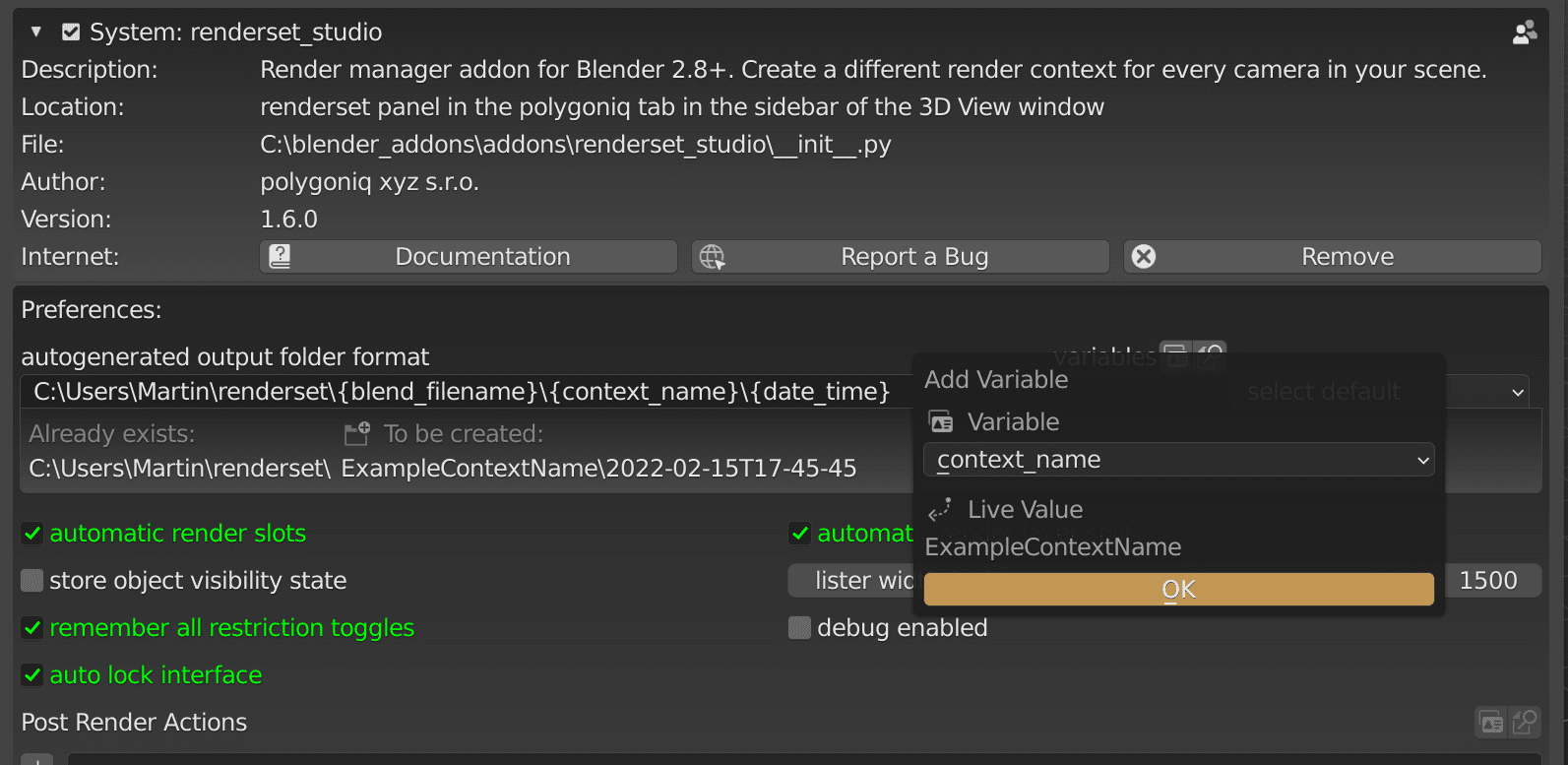
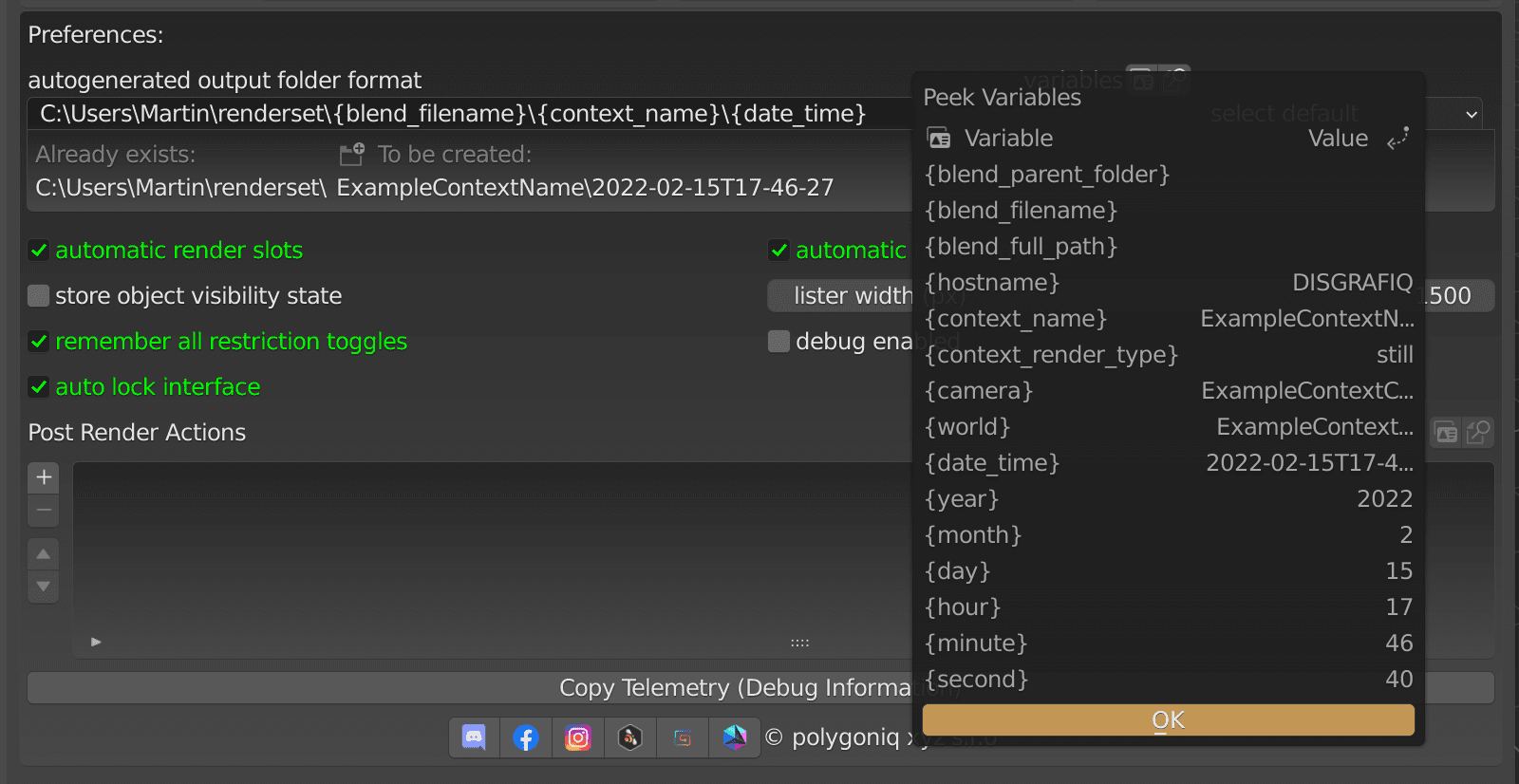
When constructing the folder path string, consider using the Add Variable and Peek Variables
operators for help. You can find them in Preferences → Addons → renderset.