Installation
Install From Disk
Paid addons (memsaver, renderset, ...) are installable from disk. First, download
the .zip file from Superhive, Gumroad and install it from disk into Blender.
Remote repository
We plan to have all extensions available online, but for now only the open-source versions have a remote repository. Follow our Discord for updates.
This documentation showcases the installation process on engon, but it works the same way
for other extensions.
Remove old addons
Before installing a newer version of addon extension, Uninstall all the previous versions of
the addon in Blender. Having multiple different versions can cause issues and the addon extension
might not work correctly.
Drag & drop the ZIP to install
You can just grab the downloaded .zip file and drop it into Blender to install it.
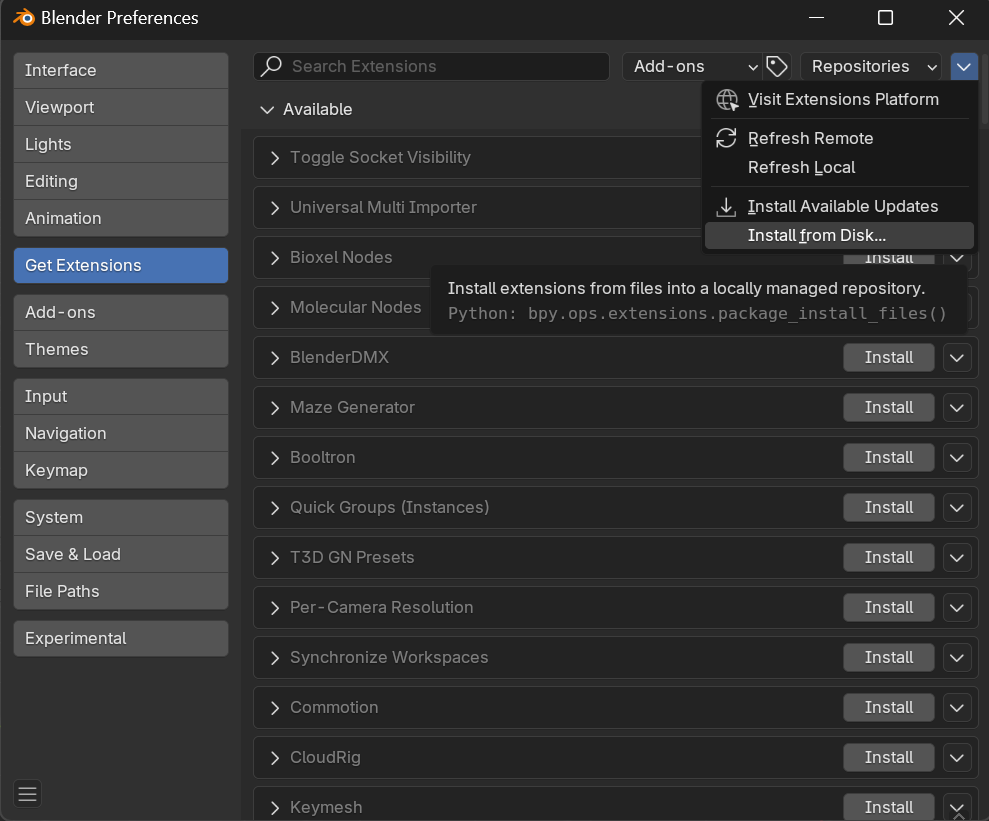
Once you have the .zip file downloaded, open Blender Preferences and go into the Get Extensions
section. Expand the dropdown in the top right corner and click Install From Disk....
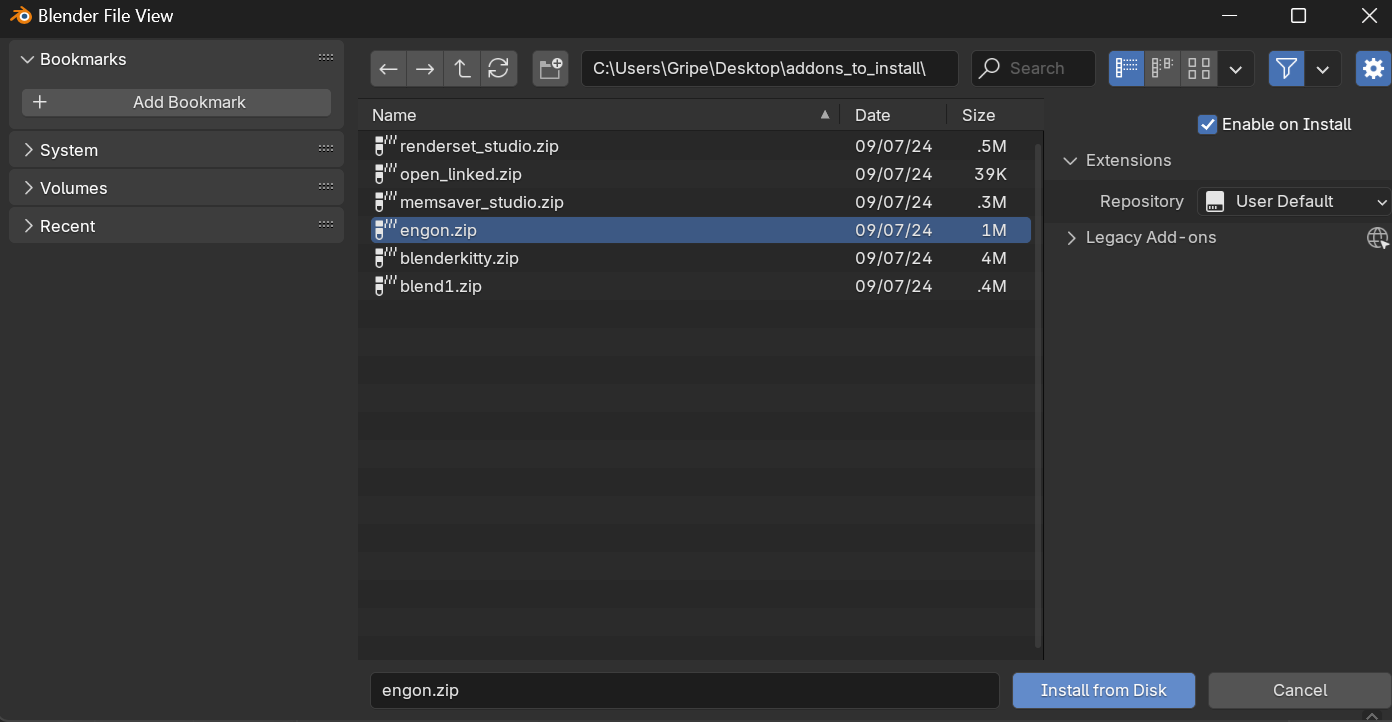
This will open a File Browser. Find the .zip file that you already downloaded, select it and click
Install From Disk.
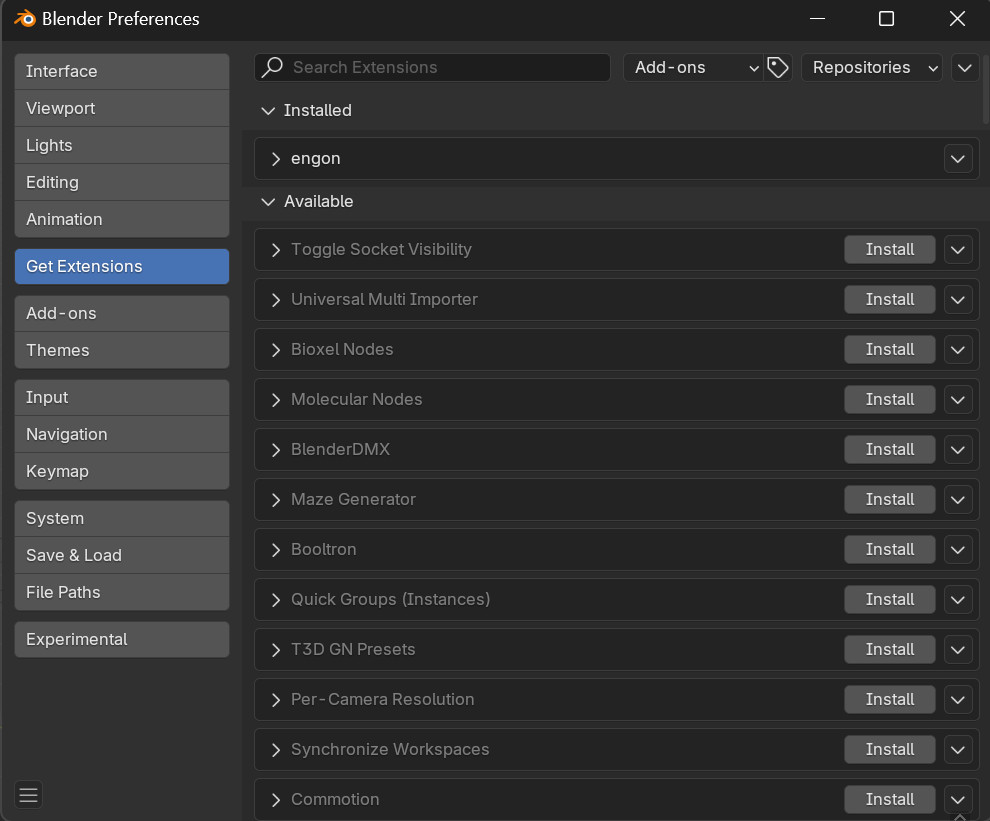
Once the installation is successful, the extension will appear in the extensions list.
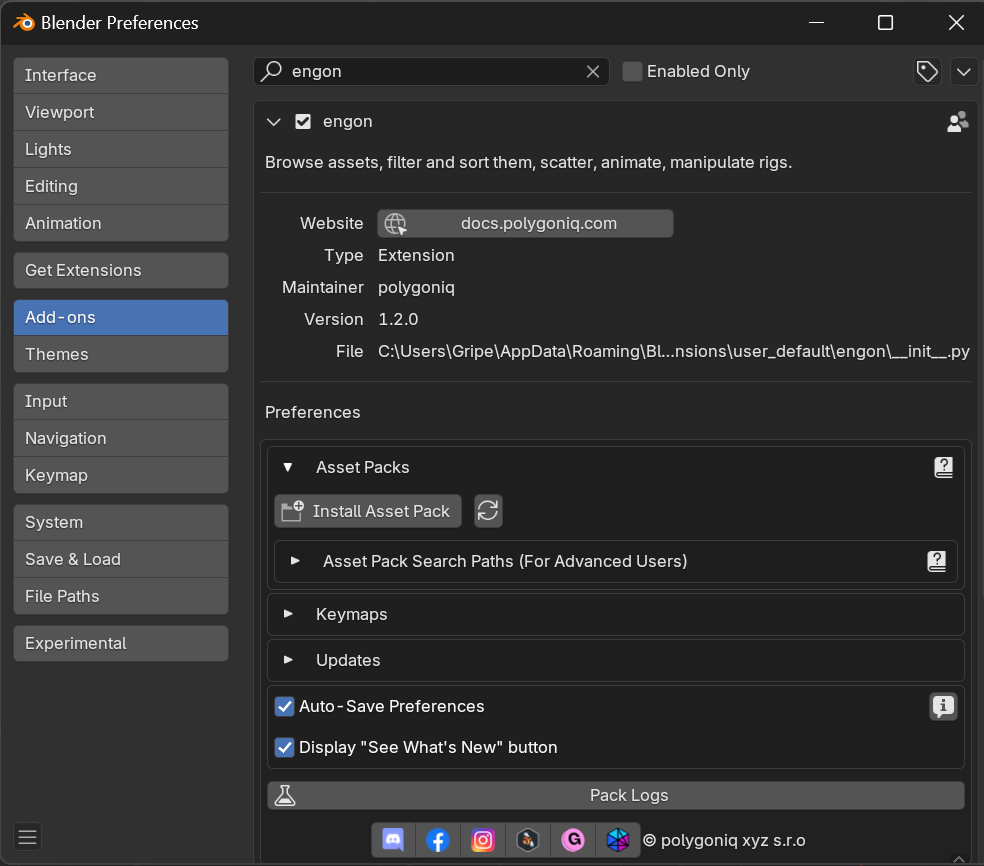
You can find the preferences of the installed extension in the Add-ons section.
Type the renderset into the search bar to find it quickly.