Resize Images
Resize Images operator scales down images bigger than the selected maximum size.
Resizing is non destructive
memsaver works in a way that you won't lose your original setup.
Images can be always returned to the previous state by using the Revert Images to Originals button.
The operator reports changes
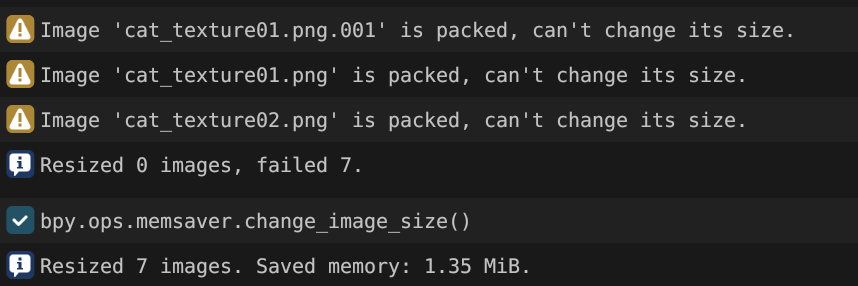
The operator reports how many images were successfully resized, how many failed, and how much memory was saved. You can open the Blender info tab to see more details in case something failed.
Parameters
Target images
Selects which images are affected by the operator, let's list them from the most to the least restrictive.
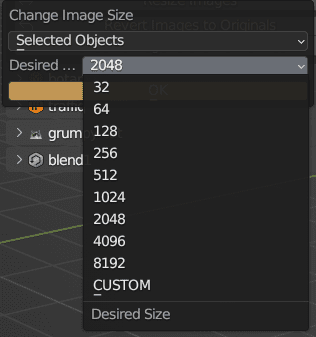
Selected Objects- images references from selected objectsScene Objects- images referenced from all scene objectsAll Objects- images referenced from any objectAll Images except HDR and EXR- all images loaded to a current blend except HDR and EXRAll HDR and EXR images- all HDR and EXR imagesAll Images- all images loaded to a current blend even if they are not used in any material
Maximum side size
Images with at least one side bigger than Maximum Side Size parameter are scaled
down, in a way that their bigger side will be Maximum Side Size. Resizing operation keeps aspect
ratio of the images.
Examples with Maximum Side Size parameter set to 1024
| Original Size | New Size | Memory Saved |
|---|---|---|
| 3000 x 1500 | 1024 x 512 | 88 % |
| 2048 x 1024 | 1024 x 512 | 75 % |
| 1024 x 1024 | 1024 x 1024 | 0 % |
| 500 x 400 | 500 x 400 | 0 % |
Maximum Side Size can either selected from a list of predefined powers of 2 or as a custom number.